I’ve wanted to try AR or smart glasses for a while, and with Apple jumping into spatial computing I headed to the Apple Store to demo the Vision Pro. It was enough to convince me spatial computing is genuinely useful — but at that price, I maybe not useful enough.
Undeterred I came across several AR Glasses that apparently worked with Apple devices. So after watching a view youTube videos I decided to give the Xreal Air 2 Pro glasses a try. This post is my experience running them with a Mac and an iPhone. What if found works and what doesn’t, also whether I’d recommend them to you.
One thing worth flagging upfront: getting true spatial computing out of this setup means either giving up on Apple devices entirely for a Beam Pro (Xreal’s own Android-based unit), or upgrading to a newer Xreal model with the built-in X1 chip. Everything below is what you get without doing either of those. Just using the Air 2 Pro with Apple products.
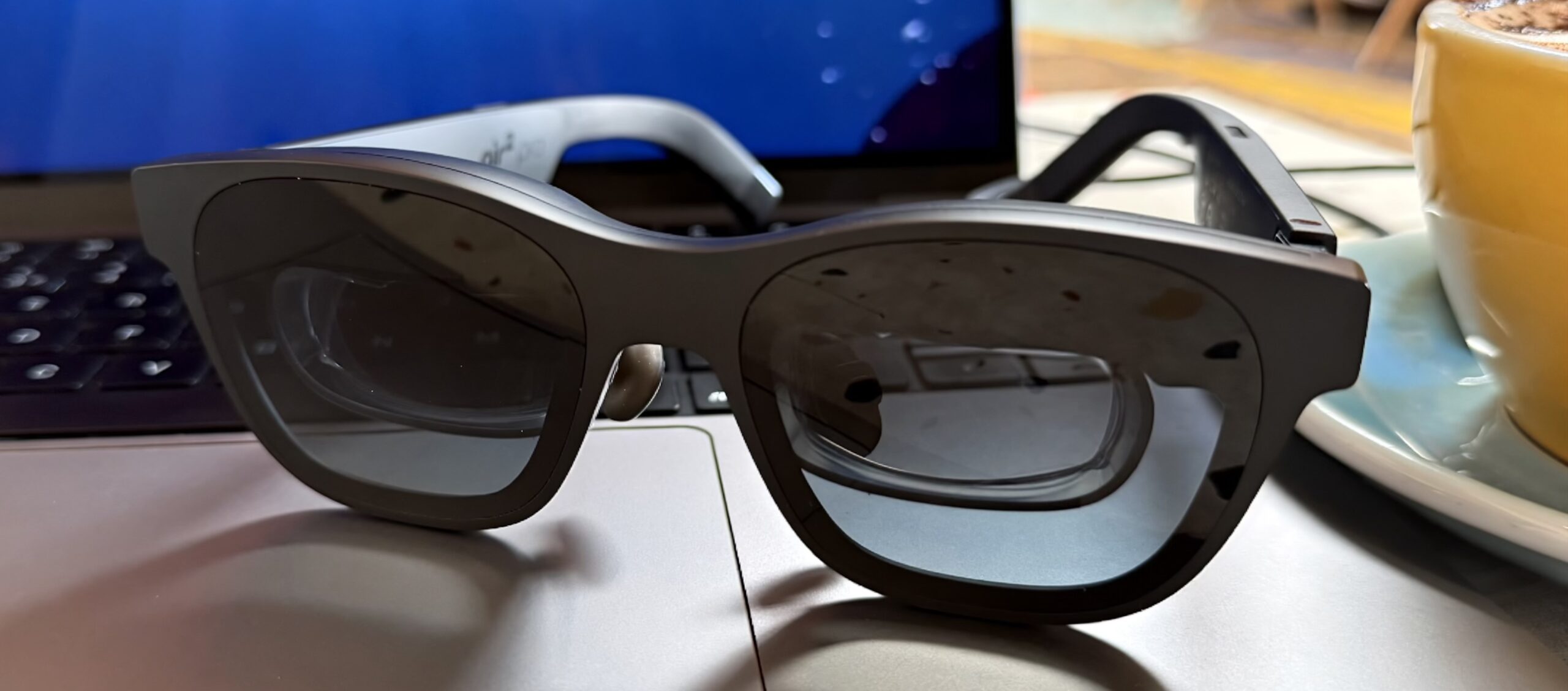
Using the Xreal glasses with a Mac
First thing to note: the glasses behave like an external monitor. Plug them into a Mac over USB-C and they activate as a second display floating in front of your eyes.
The real magic comes from Xreal’s Nebula app for Mac. It adds a layer of spatial computing on top of that. This means you can anchor up to three displays in the space around you, and when you move your head, they stay put where you originally placed them.
In practice, that means I can look to my right to read a Safari window full of research, while keeping Xcode dead ahead of me. It’s genuinely great for working in a coffee shop, where hauling multiple monitors with you isn’t an option.
One quirk: one of those displays is always a mirror of whatever’s on your MacBook’s built-in screen. You can dim the MacBook’s screen if you want privacy while you work.
The catch: Nebula’s future on Mac is uncertain
Nebula appears to be discontinued on Mac. There’s chatter on Reddit about a Windows beta in the works, but nothing suggesting active development for macOS. If that’s the feature that sold you on these glasses, know that it may not be maintained going forward.
iPhone: a different story
The iPhone experience doesn’t come close to the Mac setup. Only certain apps keep displaying to the glasses once the iPhone locks, and the spatial anchoring that makes the Mac setup so good simply doesn’t work here.

The reason is hardware, not software: the Air 2 Pro is really just a “smart” display with no onboard chip to calculate where you’re looking. There’s no equivalent to Nebula for iPhone that can do that calculation for you. Newer Xreal glasses have a X1 chip built in that handles this without needing separate software.
On top of that, a number of streaming apps will simply refuse to play downloaded shows or movies if they detect the glasses are connected
Where they work well – gaming
This is the one area where the Xreals has been an unqualified win. Pair them with Apple Arcade and a game controller and it feels like carrying a portable console setup. If that’s your primary use case, this is a strong yes from me.
The verdict
Would I recommend the Xreal Air 2 Pro to iPhone or Mac users? It depends what you’re buying them for:
- For gaming or streaming video on the move: yes, easily. This is where they’re at their best.
- For iPhone spatial computing: no. The lack of onboard tracking, combined with apps not working as expected, makes this a frustrating experience.
- For Mac spatial computing: i’m on the fence. Nebula shows what can be achieved, but it is buggy and has an uncertain future on macOS.
The twist: Viture’s Spacewalk app
Here’s the bit that surprised me most. A rival company, Viture, makes an app called Spacewalk. Nothing in its description suggests it should work with Xreal hardware. However, it runs well on the iPhone with my Air 2 Pros. Again no spatial tracking, but being able to view spatial videos and photos in a way Xreal’s own software doesn’t offer on iPhone really made me realise the use case for these glasses.
It made enough of a difference that on a recent trip to Cornwall, I found myself taking more spatial photos and videos than I normally would, simply because I knew I’d be able to watch them back properly through the glasses.
It’s made me curious enough about Viture’s hardware that they might be the next pair I try.
Over to you
This is the first post in what I want to make a recurring strand here, testing AR and smart glasses with Apple devices. If you’ve used any Xreal glasses, a Viture pair, or anything else in this space, I’d genuinely love to hear about your experience in the comments. It could help me decide what to try next.
Leave a Reply